Top 10 Best Laptops for Remote Work and Productivity in 2024
The landscape of the modern workplace has shifted permanently. For millions of professionals, the office is no longer a cubicle; it is a home desk, a local coffee shop, or a co-working space in a different time zone. As we move deeper into 2024, the demand for technology that supports this lifestyle has never been higher.
At iTechMag, we understand that your laptop is more than just a gadget; it is the primary engine of your livelihood. Whether you are a software developer, a content creator, or a corporate executive managing teams via Zoom, the right hardware can dictate your daily productivity.
In 2024, the laptop market has seen a massive injection of AI-capable processors, specifically the Intel Core Ultra “Meteor Lake” series, Apple’s M3 silicon, and the disruptive Snapdragon X Elite. Below, we break down the Top 10 Best Laptops for Remote Work and Productivity available right now.
What to Look for in a Remote Work Laptop in 2024
Before diving into the list, it is crucial to understand the criteria that separate a “good” laptop from a “great” remote work machine.
- Portability & Build: If you are a digital nomad, weight matters. Look for devices under 3.5 lbs (1.5 kg).
- Webcam & Audio: With video conferencing being the norm, a 1080p webcam and noise-canceling microphones are non-negotiable.
- Battery Life: You shouldn’t be tethered to a wall outlet. The gold standard for 2024 is 12+ hours of real-world usage.
- The Keyboard: You will be typing for hours. Key travel and spacing are vital for preventing fatigue.
- Connectivity: While Wi-Fi 7 is the future, ensuring you have enough ports (Thunderbolt 4, HDMI) or a good dongle is essential.
1. Apple MacBook Air 13-inch (M3)
The Best Overall Laptop for Most People
The MacBook Air remains the king of the hill for remote workers. With the upgrade to the M3 chip in 2024, Apple has improved performance while maintaining the thin, fanless design that made the Air famous. It runs completely silent, making it perfect for quiet environments.
- Key Specs: Apple M3 Chip, 13.6-inch Liquid Retina Display, up to 24GB RAM.
- Why It Wins: The battery life is phenomenal (often hitting 15-18 hours). The M3 chip handles multitasking with ease, and the 1080p FaceTime camera is excellent for meetings.
- Pros: Incredible battery life, silent operation, premium build quality.
- Cons: Limited port selection (only two USB-C), supports only two external displays (with lid closed).
2. Dell XPS 14 (2024)
The Best Premium Windows Laptop
Dell shook up their lineup this year. The new XPS 14 bridges the gap between the ultra-portable XPS 13 and the powerhouse XPS 16. It features a stunning futuristic design with a glass wrist rest and a seamless haptic touchpad.
- Key Specs: Intel Core Ultra 7, NVIDIA RTX 4050 (optional), 14.5-inch OLED InfinityEdge.
- Why It Wins: It utilizes the new Intel Core Ultra processors, which feature a dedicated NPU (Neural Processing Unit) for AI tasks. The OLED screen is arguably the best in the business.
- Pros: Gorgeous design, dedicated graphics available, stunning OLED display.
- Cons: Expensive; the capacitive touch function row is controversial.
3. HP Spectre x360 14
The Best 2-in-1 Convertible
For those who like to annotate documents or sketch, the HP Spectre x360 14 is the undisputed champion. HP has focused heavily on the remote work experience, fitting this laptop with one of the best webcams on the market.
- Key Specs: Intel Core Ultra 7, 14-inch 2.8K OLED touch, 9MP Webcam.
- Why It Wins: The 9-megapixel camera with hardware-enabled low-light adjustment is a game-changer for Zoom calls. The 2-in-1 design allows for versatile presentation modes.
- Pros: Best-in-class webcam, included stylus, comfortable keyboard.
- Cons: Can get warm under heavy load.
4. Lenovo ThinkPad X1 Carbon Gen 12
The Best Business Class Laptop
If your work involves heavy typing and corporate spreadsheets, the ThinkPad X1 Carbon is legendary for a reason. The Gen 12 update brings the new Intel Core Ultra chips and refined aesthetics while keeping the durability ThinkPads are known for.
- Key Specs: Intel Core Ultra, 14-inch 2.8K OLED, light carbon fiber chassis.
- Why It Wins: It has the best keyboard on any laptop, period. It is incredibly light (under 2.5 lbs) but meets military-grade durability standards.
- Pros: World-class keyboard, vast array of security features, extremely durable.
- Cons: Expensive; the trackpad design has changed (TrackPoint buttons are now haptic on some models).
5. Apple MacBook Pro 14-inch (M3 Pro/Max)
The Best for Power Users and Creatives
If your remote work involves 4K video editing, compiling massive codebases, or 3D rendering, the Air won’t cut it. You need the MacBook Pro.
- Key Specs: M3 Pro or M3 Max chip, 14.2-inch Mini-LED XDR display, HDMI, and SD Card slot.
- Why It Wins: The Mini-LED display offers 120Hz refresh rates (ProMotion) and incredible brightness. The return of the HDMI port and SD card slot means fewer dongles to carry.
- Pros: Unmatched performance per watt, best screen on the market, excellent port selection.
- Cons: Heavier and thicker than the Air; high price point.
6. Microsoft Surface Laptop 7 (Snapdragon Edition)
The Best Battery Life on Windows
2024 is the year of “Copilot+ PCs.” The Surface Laptop 7 utilizes the Qualcomm Snapdragon X Elite processor (ARM-based), finally giving Windows users battery life that rivals Apple.
- Key Specs: Snapdragon X Elite, 13.8-inch or 15-inch Touchscreen, AI integration.
- Why It Wins: This device breaks the mold with battery life that can last nearly 20 hours. It is designed entirely around Microsoft Copilot AI integration.
- Pros: Insane battery life, beautiful 3:2 aspect ratio screen, premium aluminum build.
- Cons: App compatibility with ARM architecture is good but not yet perfect for niche legacy apps.
7. LG Gram 17
The Best Large Screen for Travel
Usually, a 17-inch laptop is a back-breaker. The LG Gram 17 defies physics by weighing less than many 13-inch laptops.
- Key Specs: Intel Core Ultra 7, 17-inch IPS (2560 x 1600), under 3 lbs.
- Why It Wins: If you need screen real estate for multitasking (two full-sized windows side-by-side) but travel constantly, this is your only option.
- Pros: Massive screen, shockingly lightweight, excellent port selection.
- Cons: The chassis has some flex (feels plastic-y), speakers are average.
8. Asus Zenbook 14 OLED
The Best Value / Budget Choice
You don’t need to spend $2,000 to get a great remote work machine. The Asus Zenbook 14 OLED offers premium specs at a mid-range price.
- Key Specs: Intel Core Ultra 7 or AMD Ryzen 7, 14-inch 3K OLED 120Hz.
- Why It Wins: You get a high-refresh-rate OLED screen and modern processors for significantly less than a Dell XPS or MacBook.
- Pros: Fantastic display for the price, good port selection (includes USB-A), solid performance.
- Cons: Battery life is average compared to the top tier; pre-installed bloatware.
9. Razer Blade 14
The Best for Work and Play
For the remote worker who clocks off at 5 PM and jumps immediately into gaming, the Razer Blade 14 is a marvel of engineering.
- Key Specs: AMD Ryzen 9, NVIDIA RTX 4070, 14-inch QHD+ 240Hz.
- Why It Wins: It packs serious gaming power into a chassis that looks professional enough for a boardroom. It doesn’t have the “gamer” aesthetic of glowing RGB lights unless you turn them on.
- Pros: immense power in a small form factor, premium metal build, upgradeable RAM.
- Cons: Expensive, fans can get loud under load, battery life is shorter than non-gaming laptops.
10. Acer Swift Go 14
The Best Budget Performance
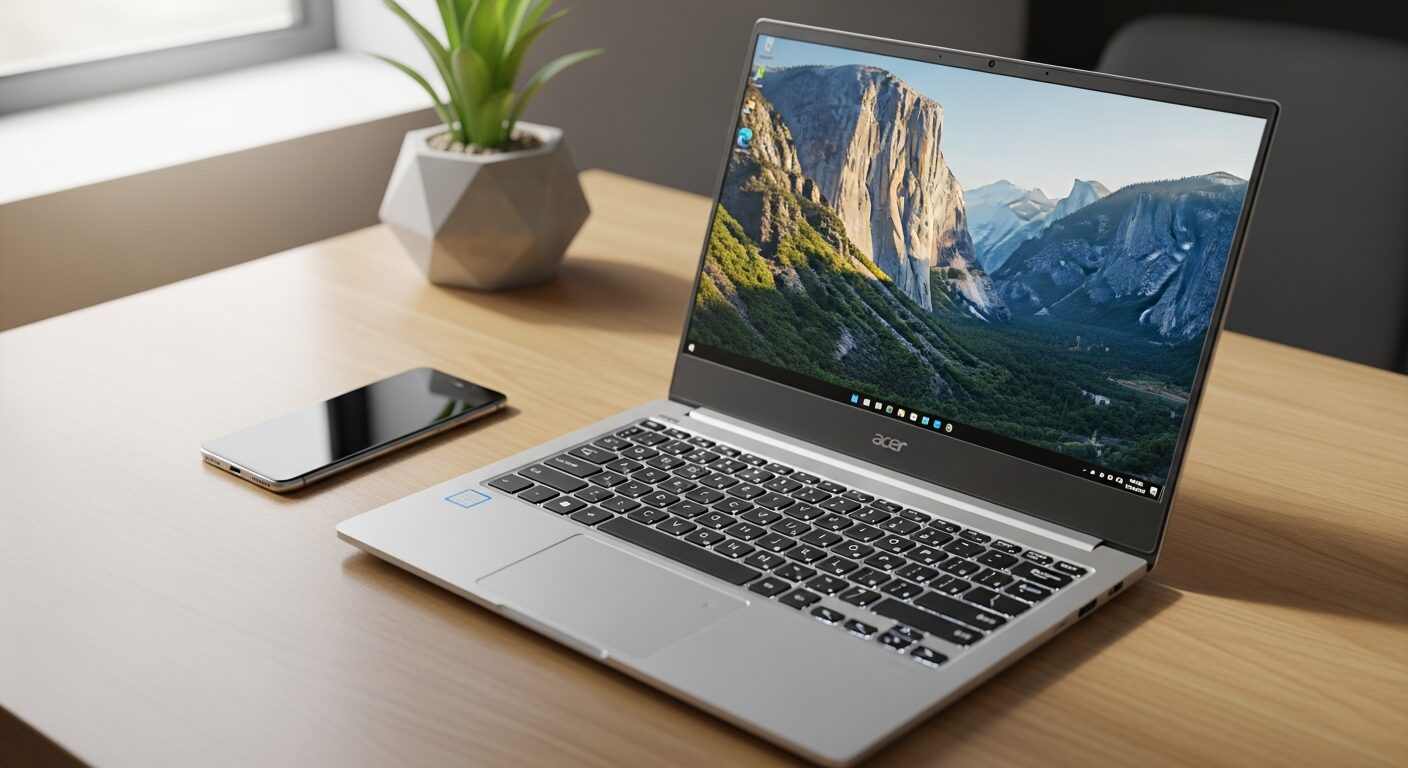
For students or professionals on a tighter budget who still need AI capabilities, the Acer Swift Go 14 is a standout.
- Key Specs: Intel Core Ultra 5 or 7, 14-inch OLED or IPS, 1440p Webcam.
- Why It Wins: It offers the new Intel Core Ultra chips and a surprisingly good 1440p webcam at a very aggressive price point.
- Pros: Very affordable, high-resolution webcam, lightweight.
- Cons: Build quality is average, battery life is just “okay.”
Conclusion: Which Laptop Should You Buy?
Choosing the right laptop for remote work in 2024 depends entirely on your workflow.
- Go with the MacBook Air M3 if you want the most reliable, battery-efficient machine that just works.
- Choose the Dell XPS 14 if you want a premium Windows experience and stunning design.
- Pick the HP Spectre x360 if video calls are your priority and you enjoy the flexibility of a tablet.
- Opt for the ThinkPad X1 Carbon if typing comfort and durability are paramount.
The era of remote work demands hardware that is versatile, durable, and powerful. Investing in the right tool today will pay dividends in your productivity tomorrow. Stay tuned to iTechMag for more in-depth reviews and IT news.
FAQ
Q: Is 8GB of RAM enough for remote work in 2024? A: While passable for basic browsing, we highly recommend 16GB of RAM as the new minimum standard to future-proof your device and handle multitasking smoothly.
Q: Mac or Windows for remote work? A: This depends on your industry. Creatives generally prefer Mac, while corporate business environments often rely on Windows. However, with web-based apps, both are now highly capable for general productivity.
Q: What is a “Copilot+ PC”? A: This is a new designation by Microsoft for laptops with specialized hardware (NPUs) capable of running advanced AI tasks locally, offering features like “Recall” and advanced live captions.